


Computer mice and accessories complete a workstation in the office, home office or on the move. When choosing a mouse, compare the connection method, grip comfort and compatibility with the computer. For a mouse pad, consider its size, surface and room for any artwork.
For business and organisational orders, products featuring a logo or other branding may also be relevant, provided their shape and material allow suitable personalisation. This category includes mice, mouse pads and selected accessories for computer workspaces.


Need help choosing?
Send us an inquiry about quantity, personalization or choosing a suitable product.
How to choose a computer mouse
Connection and mobility
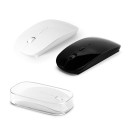
For a fixed workstation, start by checking the available ports on the computer. With laptops and shared workstations, it also matters whether a mouse requires a USB receiver or supports Bluetooth; this depends on the model. One wireless option in this category is the BLACKWELL 2.4 GHz mouse. Also consider whether the device will frequently move between different computers.
Sensor type and comfort
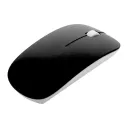
The term optical mouse describes how movement is detected, not the connection type. One example in the range is the Lyster optical mouse. Compare shape, size and button layout to suit the intended work. When several colleagues share the same equipment, ease of everyday use may matter more than additional features.
Mouse pads and other desk accessories
Size and surface
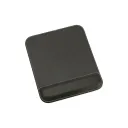
A mouse pad can provide a more consistent tracking surface, particularly on highly reflective or transparent desks where some sensors struggle. Choose the size according to the space beside the keyboard and the usual range of mouse movements. A compact pad may suit a smaller desk, while a larger working area can help with wider movements. One example in the category is the Gong mouse pad.
Space for artwork
For a promotional mouse pad, check how much flat space is available for a logo, wording or colourful design. The current selection also includes the Subomat mouse pad, but suitability for a particular branding method must be checked for each model. Sublimation printing is possible only on substrates suitable for that process. A pad’s name alone does not tell you its dimensions or usable print area.
Related accessories also include webcam covers that physically obscure the camera lens. Camera position and the space around it matter when choosing one; such a cover does not replace other privacy settings.
Personalisation and preparing a business order
Mice and mouse pads can be useful business gifts or team equipment, but not every product is equally suitable for branding. When selecting a method, Gajcom considers the product, material, design, quantity, branding position and desired appearance. To prepare a quotation, it helps to specify the selected models, expected quantity and artwork.
For personalised orders, the specific options and production details are agreed in the quotation or order confirmation. An artwork preview may also be part of the process when needed.
Explore more

Frequently asked questions
Does 2.4 GHz connectivity always mean Bluetooth?
No. The 2.4 GHz designation describes a frequency band, not necessarily the method of connection. Some wireless mice use a dedicated USB receiver, while others use Bluetooth. Check the actual connection method and required ports for the chosen product.
How do I choose a mouse pad size for a small desk?
Measure the space beside the keyboard and consider how far you usually move the mouse. Then compare the dimensions of individual pads. A pad that is too small can restrict movement, while one that is too large may leave less room for other equipment.
Can a mouse pad feature a full-colour photograph?
This depends on the selected product, its surface and a suitable printing method. Full-colour artwork may be possible on substrates suitable for sublimation. For a photograph, the quality of the supplied artwork and available print area must be checked.
Will a webcam cover fit every laptop?
Not necessarily. Check the camera position, the space around the lens and whether the lid can close with the accessory attached. A generic product description alone cannot guarantee compatibility with every computer.