


USB/UDP flash drives and related USB accessories serve different purposes: storing files, connecting additional devices or charging. Alongside memory sticks, this category includes USB hubs, pen holders with integrated hubs, charging cables and keyrings with cables. Start by deciding which function recipients will actually need.
For a flash drive, consider storage capacity, connector type and speed specifications; for a hub, the number and types of ports; and for a cable, the appropriate connectors. For corporate gifts, also check the branding options for the chosen product, as not every surface or marking technique suits every item.
There are no products to list in this category.
Need help choosing?
Send us an inquiry about quantity, personalization or choosing a suitable product.
Choose by function, not just appearance
Flash drives for storing files
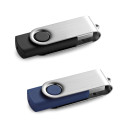
If you want to give recipients presentations, catalogues or other materials on physical media, choose a USB flash drive. Estimate the capacity from the total file size and allow room for future use; for large files, also check the specified read and write speeds. One specific option is the CLAUDIUS 32 GB, while you can compare other storage models in the USB flash drives category. The stated 32 GB capacity applies to that model, not every product here.
Hubs and charging accessories
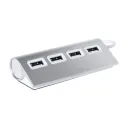
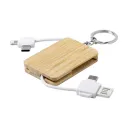
A USB hub lets you connect more compatible devices, but it does not store files itself. One example is the Weeper USB hub. A pen holder with a USB hub combines desk organisation with extra connections, while a charging cable connects devices for charging. The range also includes cable keyrings, such as the Rusell. Check the supported functions and connectors for each individual product.
Technical details that matter
Connector compatibility
First check which connectors your computer, phone and other equipment use. An identical connector shape does not guarantee identical speed or every feature. Some USB cables are intended for charging only, so if you need to transfer files, confirm that data transfer is expressly supported. For hubs, check the number and type of ports and any power requirements; for storage devices, review the chosen model’s capacity and specifications.
Design and everyday use
For frequent carrying, look for a design that fits easily into a bag or can be attached to keys. On a desk, a combination pen holder and USB hub may be more suitable. Also consider whether the housing leaves neighbouring ports unobstructed. This matters particularly on laptops with closely spaced ports.
Branding and order preparation
A USB accessory can be a promotional gift with a logo, wording or graphic if the product is suitable for marking. The available method depends on its material, surface, design, quantity and desired appearance. Gajcom can help check your artwork and agree on suitable marking dimensions and placement. For a specific quotation, provide the selected model, expected quantity and artwork; the final details are confirmed in the quotation.
Explore more
Frequently asked questions
Can a USB hub replace a USB flash drive?
No. A hub connects compatible devices, whereas a flash drive stores files. They perform different functions even though both use USB connections.
Do all USB flash drives have a 32 GB capacity?
Do not assume this from one example. The 32 GB specification applies to the listed CLAUDIUS model; check the capacity of every other storage product in its own specifications.
Do charging cables always transfer data as well?
No. Some cables are designed only for charging. If you need file transfers, check the cable’s data capability and the compatibility of the connectors on both devices before choosing.
How do I estimate the capacity needed for materials?
Add up the sizes of the files you want to store and leave some spare capacity. For larger video files, also check file-system limitations and compatibility with the devices on which the materials will be used.